 Nexus
NexusGuides → How to clear a help desk ticket backlog (without burning out)
How to clear a help desk ticket backlog (without burning out)
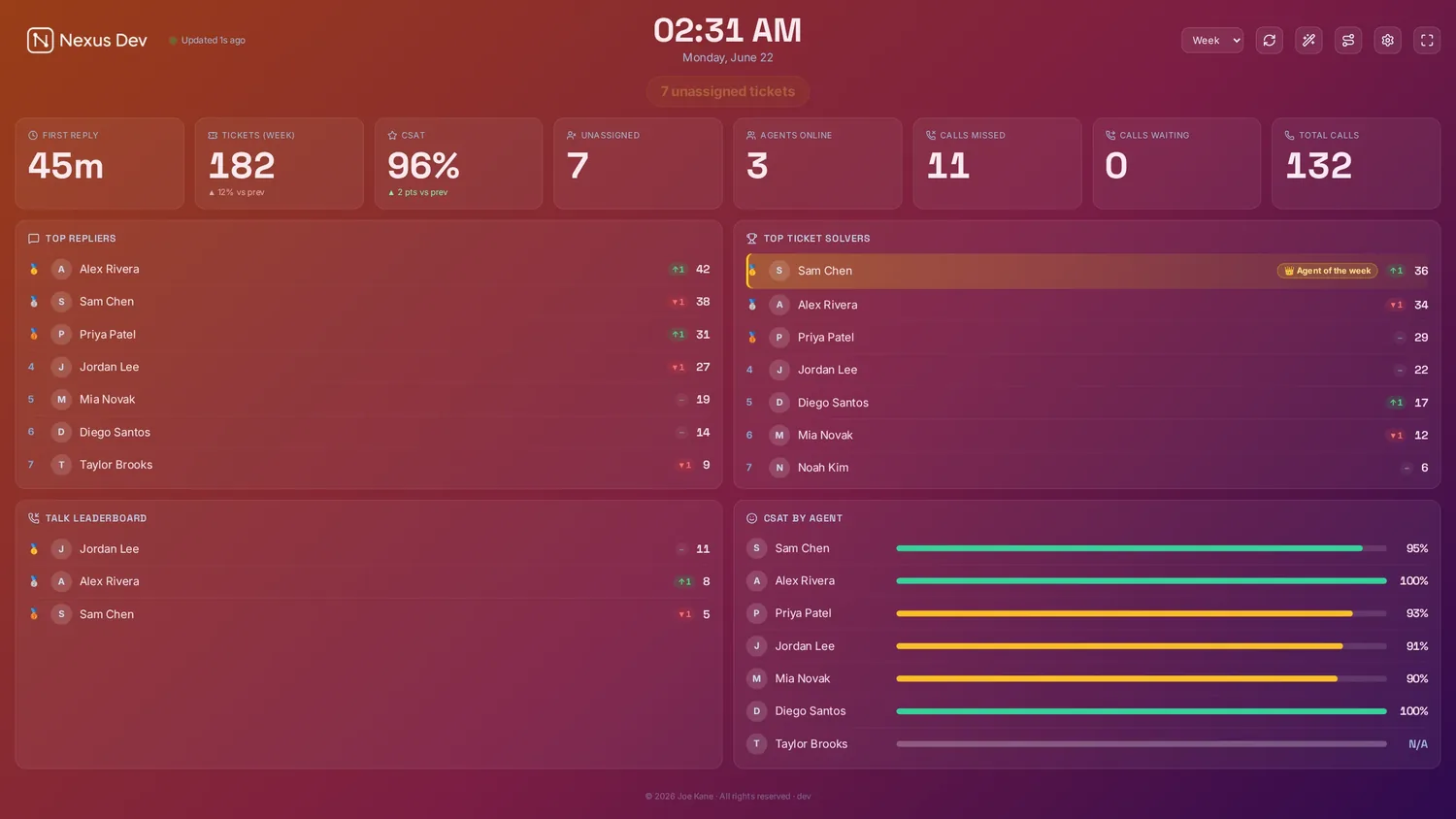
A ticket backlog rarely builds in a day, and it won't clear in one either. The trick is to treat it as a measurable, shrinking number rather than a vague cloud of dread — then chip at it steadily while protecting the people doing the chipping. Here's a practical playbook for clearing a help desk backlog without running the team into the ground.
First, measure what you're actually facing
You can't clear a number you haven't counted. Before anyone touches a ticket, pin down four figures: total open tickets, how many are unassigned, how many are already breaching or about to breach SLA, and the age of your oldest ticket. That last one matters more than people expect — a single forgotten ticket from three weeks ago does more reputational damage than fifty fresh ones.
Put those numbers somewhere the whole team can see, not buried in a manager's report. A shared live board of KPI tiles and SLA countdowns turns "the backlog feels huge" into "we're at 240, oldest is 9 days" — and a concrete number is something a team can rally around and watch fall.
Triage before you touch anything
Working a backlog in the order tickets arrived is the slowest possible approach. Sort by risk instead, across three axes:
- SLA risk. Anything breaching now or within the next hour is bleeding goodwill every minute. These go first, always.
- Age. The oldest tickets are where customers have quietly given up on you. Clearing them buys back the most trust per reply.
- Priority and impact. A P1 affecting many users outranks a cosmetic niggle, regardless of age.
Most help desks let you build a view that combines these. If you're unsure which thresholds to watch, our guide to the SLA metrics that actually matter on a wall covers which signals are worth countdowns and which are just noise.
Clear the unassigned pile first
Unassigned tickets are the easiest win in any backlog, because nobody has to be unpicked from someone else's work to start them. They're also where tickets silently age — a ticket with no owner is a ticket nobody feels responsible for. Pull the whole unassigned queue down to zero before you do anything else, even if that just means routing each one to the right person rather than solving it outright. Ownership is half the battle; an assigned ticket has a clock and a name against it.
Set a daily burn target — and make it visible
"Clear the backlog" is not a plan; "close 40 a day for the next six working days" is. Work out a target that's ambitious but humane: take the backlog size, decide on a realistic timeline, and divide. Crucially, that target has to account for the new tickets still arriving — you're aiming to close more than you open each day, not to empty an ocean while the tap runs.
A solved-vs-target progress bar on the wall does quiet, powerful work here. When the team can see they're at 31 of 40 with two hours left, the last stretch tends to take care of itself. Agent leaderboards with streaks and an Agent of the Week add a bit of friendly momentum — used lightly, they turn a grind into something closer to a shared push. Keep it celebratory, never punitive; a backlog cleared at the cost of morale will simply rebuild.
Timebox it, and protect the people
The fastest way to burn a team out is to declare an open-ended "backlog blitz" with no end in sight. Don't. Ring-fence specific blocks — a focused two-hour push in the morning, say — and let people return to normal work in between. Rotate who's on backlog duty so nobody spends three solid days only ever opening stale, often grumpy tickets.
Two humane rules go a long way. First, a ticket that's genuinely dead — duplicate, resolved elsewhere, customer long gone — should be closed with a polite note, not agonised over. Second, anything that needs deep work gets parked into a clearly separate queue so it doesn't clog the burn-down. Speed comes from removing easy wins and quick replies from the pile, not from forcing complex cases through at pace.
Watch the oldest ticket, not just the count. The total can fall while one ancient ticket sits untouched. Keep "age of oldest open ticket" on the board throughout the push — when that number stops climbing and starts dropping, you're genuinely winning.
Stop it coming back
Clearing a backlog once is satisfying; clearing the same one every quarter is exhausting. The lasting fix is to attack what created it. A few durable levers:
- Better routing. Most backlogs are really a distribution problem — tickets landing in the wrong place, or piling onto whoever's quickest to grab them. Getting each ticket to the right person promptly is half the cure. If routing by hand is the bottleneck, Switchboard's automatic routing (a public beta, included with Enterprise) can take that decision off people's plates.
- Deflection. The cheapest ticket is the one never raised. Spot the questions that recur in the backlog and answer them once — a help-centre article, a macro, a better form — so they stop arriving.
- Catch the build-up early. Backlogs grow quietly. A board that shows the open count and oldest ticket all day means you act when it's 30 over, not 300.
Keep the backlog on the wall for good
The single habit that prevents the next blitz is shared, constant visibility. When unassigned, oldest ticket and SLA risk live on a screen the whole team passes, a backlog can't creep up unnoticed — someone sees it climbing and quietly nips it. That's the real value of a live board: not the dramatic clear-out, but the slow accumulation that never happens. You can see exactly what that looks like in the zero-setup demo, running on sample data with no account or card.
See it live
Nexus puts SLA countdowns, the live queue, CSAT and leaderboards on a self-hosted board — try the demo (no account, no card), then start a 14-day free trial on your own data, billed only if you keep it.