 Nexus
Features → HubSpot Service Hub wallboard
The self-hosted HubSpot Service Hub wallboard.
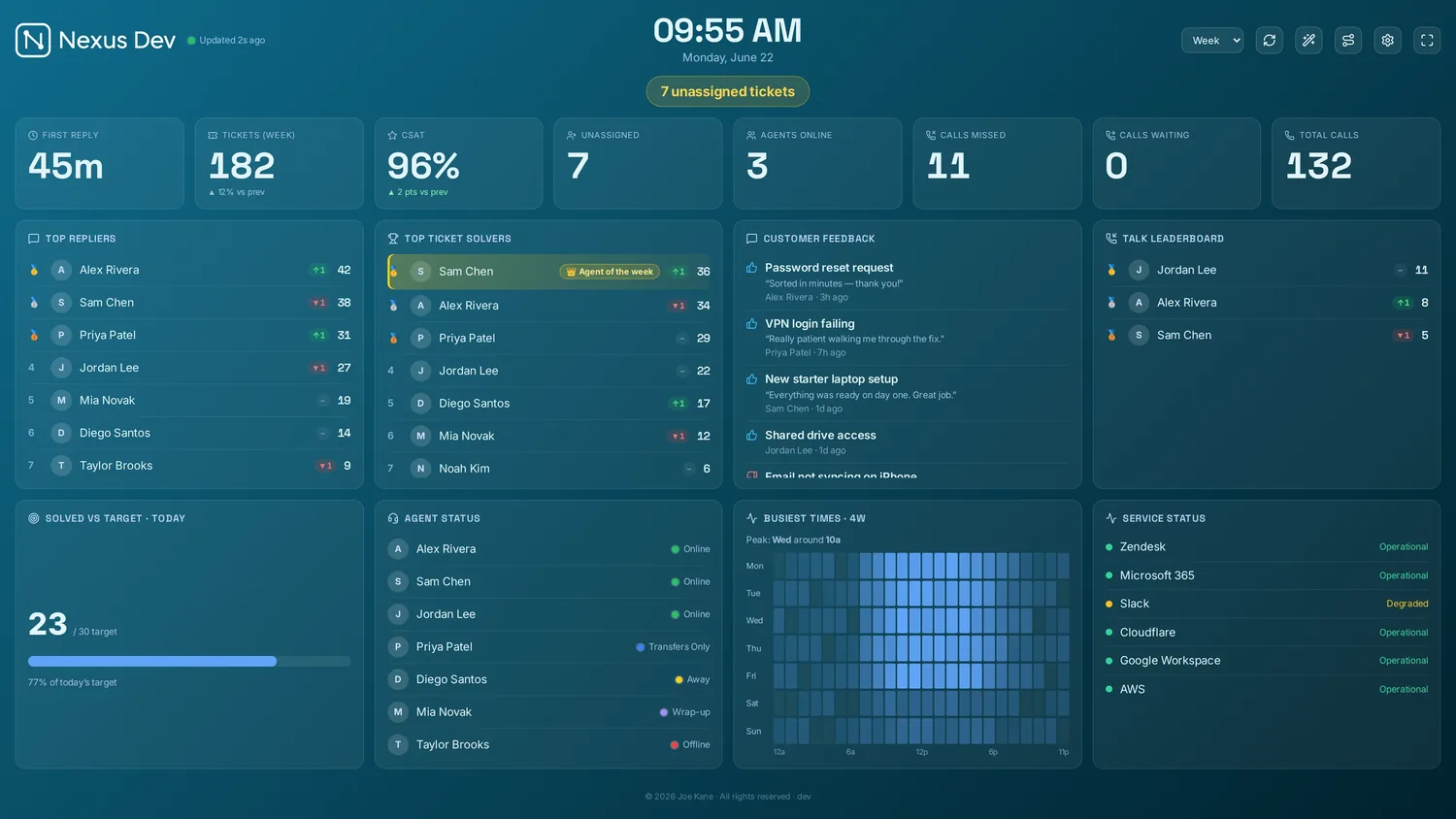
Nexus is a self-hosted HubSpot Service Hub wallboard: it reads HubSpot directly and puts your live tickets by pipeline stage, priority, owner and team on the office TV, a desk or a phone. It runs on your own server, or a private instance we host for you, for a flat £29–£119 a month with unlimited agents and screens.
14 days of Pro on your own HubSpot Service Hub account. Just your email, no card.
What does the HubSpot wallboard show?
Tickets by pipeline stage
Open tickets bucketed from your own pipeline stages (new, open, waiting on contact and on hold), with closed stages counting as solved, plus open tickets by priority and created-vs-closed trends over the day, week or month.
The unassigned queue & drill-downs
Tickets with no owner, oldest first, and every number on the board drills down to the tickets behind it, with each one's pipeline stage shown.
Owners, teams & leaderboards
Closer leaderboards by ticket owner, streaks and Agent of the Week, your HubSpot teams for team-scoped boards, and a weekday-by-hour volume heatmap.
What it doesn't show: HubSpot's tickets API has no satisfaction score (surveys are a separate product), no live presence and no SLA due date, and search doesn't return company associations, so there's no CSAT, agent-status, at-risk SLA or per-client panel on a HubSpot board. In Blended KPIs its SLA breaches read “not available” rather than a guess. Panels a helpdesk can't feed hide themselves.
How do you put HubSpot Service Hub on a TV? Three steps.
- Create a private app
In HubSpot go to Settings → Integrations → Private apps and create an app with the
ticketsandcrm.objects.owners.readscopes. Copy its access token. - Enter it in the wizard
Install Nexus (or add managed hosting and skip the install), then pick HubSpot (Service Hub) in the first-run wizard and paste the private-app token.
- Pick panels & cast
Choose your panels and theme, then send the board to the office TV, a desk, or a phone. Your ticket data never leaves your server.
Full walkthrough in the HubSpot Service Hub setup docs.
Your HubSpot data stays yours
Nexus calls the HubSpot CRM API straight from your server using your own private-app token. Ticket data never lands in someone else's cloud. There's no middleman to trust.
Flat, honest pricing
£29–£119/month flat on every plan. HubSpot Service Hub is included on all of them, with unlimited screens and agents. No per-seat climb as the team grows.
One number across your desks
On Enterprise, HubSpot Service Hub can also join Blended KPIs as one of up to four extra helpdesks: open, created, solved and SLA breaches as one figure, every desk named underneath.
HubSpot Service Hub wallboard FAQ.
What do I need to connect HubSpot Service Hub?
One private-app token. In HubSpot go to Settings → Integrations → Private apps, create an app with the tickets and crm.objects.owners.read scopes, then pick HubSpot (Service Hub) in the first-run wizard and paste its token. Nexus reads the HubSpot CRM API directly.
How does the board read HubSpot pipeline stages?
A HubSpot ticket's status is its pipeline stage. Stages HubSpot marks as closed count as solved; open stages are bucketed by name (New as new, Waiting on contact as pending, anything with hold as on hold, and the rest as open) across every ticket pipeline you run.
Does a HubSpot board show customer satisfaction or SLAs?
No, and we would rather be honest than fake them. The HubSpot tickets API has no satisfaction score and no SLA due date, so there is no CSAT or at-risk SLA panel on a HubSpot board, and Blended KPIs reports its SLA breaches as not available.
Can I put the HubSpot wallboard on a TV?
Yes. Plug a mini-PC, an old laptop, an Apple TV or a Chromecast into the TV, or use its own browser, and open the board full-screen. 4K scaling, panel rotation, themes and kiosk/lock mode mean it runs all day and comes back by itself after a reboot. It also casts to a desk or a phone.
Has the HubSpot integration been tested against a live account?
It is built to the HubSpot CRM API, with every mapping unit-tested against HubSpot's documented responses. Zendesk is the integration we have live-tested end to end; if anything on your HubSpot board reads oddly, tell us and we will fix it.
Run a different desk?
Related guides
All guidesSee your HubSpot Service Hub tickets on the wall.
Point a free 14-day Pro trial at your own HubSpot Service Hub account. Just your email, no card. Or open the live demo first: it fills the board with realistic sample data in about 30 seconds. Plans start at £29/month flat.