 Nexus
NexusFeatures → Jira Service Management wallboard
Jira Service Management wallboardThe self-hosted Jira Service Management wallboard.
Put your live Jira Service Management queues where the whole team can see them — on the wall, the desk and the phone. Nexus reads Jira Service Management directly, runs on your own server, and costs a flat £29–£119/month.
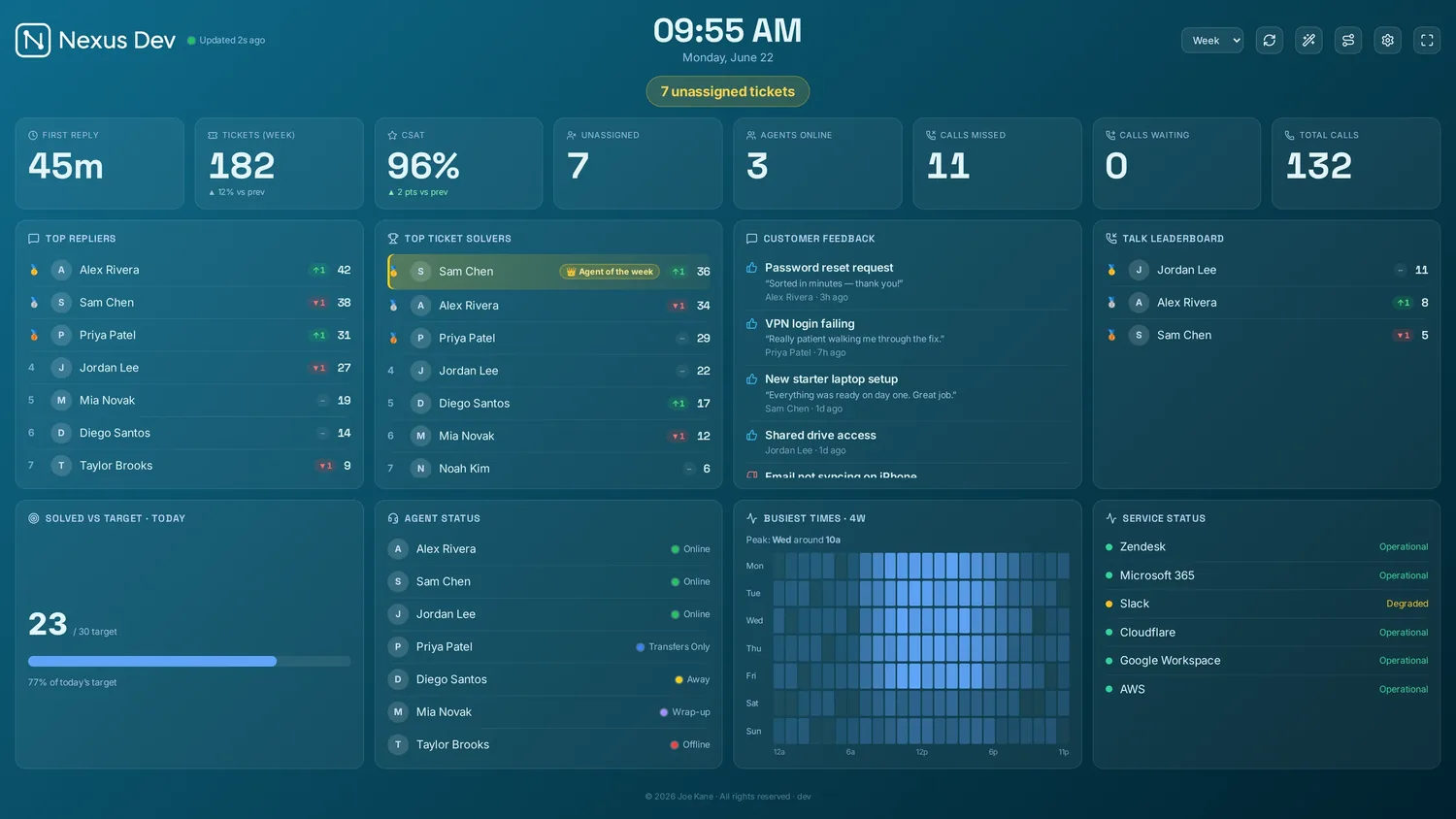
What your JSM board shows.
Requests & queues
Live request volume built from your own JQL — open, waiting and in-progress across queues and projects, scoped to one project key or all of them.
SLA goals
Time-to-first-response and resolution goals counting down, turning amber then red before they breach — Jira's SLA targets, large enough for the room.
Organisations & workload
With a service desk ID supplied, a clients panel breaks the queue down by Organisation — who has the most open requests right now, ranked.
Connect Jira Service Management in three steps.
- Install Nexus
Run the desktop app or the Docker server on hardware you already own. Nothing proxies through our cloud — there isn't one.
- Add site, email & API token
Paste your Atlassian site (from yourco.atlassian.net), your account email and an Atlassian API token. Optionally set a project key to scope the board, or a Service desk ID to unlock the Organisations panel. Nexus reads Jira directly over JQL.
- Pick panels & cast
Choose your queues, SLA goals and theme, then send the board to the office TV, a desk, or a phone.
Full walkthrough in the documentation.
Your data stays yours
Your Atlassian API token and every request it reads stay on your server. Nexus talks to Jira's Cloud API directly — no middleman, no copy in someone else's cloud.
Flat, honest pricing
£29–£119/month flat — unlimited screens and agents, however many Jira projects you point it at. No per-seat climb as the team grows.
Built for the wall
4K scaling, rotation, themes, a ticker and a full-screen SLA war-room that puts your Jira breach clocks across the room — designed to live on a screen all day.
Jira Service Management wallboard FAQ.
What do I need to connect Jira Service Management?
Your Atlassian site URL (from yourco.atlassian.net), the account email and an Atlassian API token. You can also add a project key to scope the board to one project, or leave it blank for all of them. Nexus reads Jira directly over JQL.
Why is the Organisations panel empty?
The Organisations and client-workload panel only appears once you supply the optional Service desk ID in the connection settings. The API exposes organisations through the service desk, so without that ID Nexus can still show requests, queues and SLA goals — just not the clients panel.
Can I show agent presence or a phone queue?
No, and we won't pretend otherwise. The Jira Service Management API doesn't expose agent online/away presence or a live call queue, so Nexus doesn't show them. It focuses on what JQL does give you — request volume, queues and SLA goals — accurately.
How much does the Jira Service Management wallboard cost?
Flat £29–£119 per month, with unlimited screens and agents and no per-seat pricing. It runs on your own server and reads Jira directly, so request and customer data never leaves your infrastructure.
Run a different desk?
See your service desk on the wall.
Demo mode fills the board with realistic sample data in about 30 seconds — no account, no card. Like what you see? Plans start at £29/month flat, with a 14-day free trial — billed only if you keep it.