 Nexus
NexusFeatures → Zoho Desk wallboard
Zoho Desk wallboardThe self-hosted Zoho Desk wallboard.
Put your live Zoho Desk queue where the whole team can see it — on the wall, the desk and the phone. Nexus reads Zoho Desk directly, runs on your own server (or we host it for you), and costs a flat £29–£119/month.
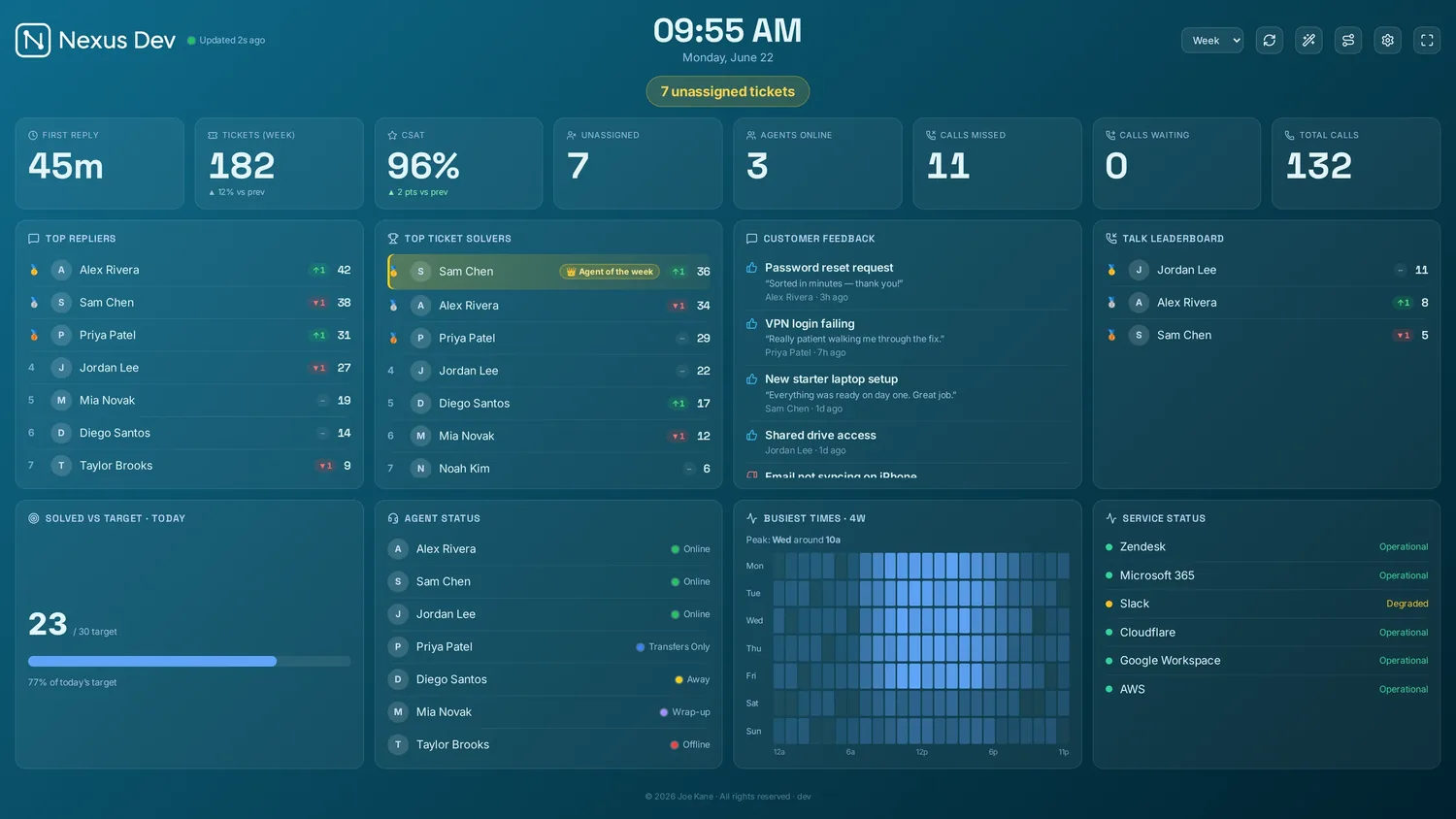
What your Zoho Desk board shows.
Tickets, statuses & due-soon
Open, on-hold and pending work broken down by status and priority, the unassigned queue, and a due-soon list built from each ticket's due date — so the floor sees what's about to slip before it does.
Customer happiness & leaderboards
CSAT from Zoho Desk's customer happiness ratings (Good / Okay / Bad), scored honestly — only negatives subtract — plus per-agent happiness, solver leaderboards, streaks and Agent of the Week.
Accounts, teams & trends
Open tickets per account for an at-a-glance client view, your Zoho Desk teams for team-scoped boards and goals, and created-vs-solved trends over the day, week or month.
Connect Zoho Desk in three steps.
- Install Nexus
Run the desktop app or the Docker server on hardware you already own — or add managed hosting and skip the install.
- Create a self-client
In api-console.zoho.com, create a self-client and mint a refresh token with the Desk read scopes (the wizard lists them exactly). You'll need your data centre, org ID, client ID, client secret and that refresh token.
- Pick panels & cast
Choose your panels and theme, then send the board to the office TV, a desk, or a phone.
Full walkthrough in the documentation.
Your Zoho data stays yours
Nexus calls the Zoho Desk API straight from your server using your own self-client credentials. Ticket and happiness data never lands in someone else's cloud — there's no middleman to trust.
Flat, honest pricing
£29–£119/month flat — unlimited screens and agents, however many Zoho departments you watch. No per-seat climb as the team grows.
Built for the wall
4K scaling, rotation, themes, a ticker and goal celebrations — designed to live on the office TV all day and keep the queue impossible to miss.
Zoho Desk wallboard FAQ.
What do I need to connect Zoho Desk?
Your Zoho data centre (com, eu, in, com.au, jp…), your Zoho Desk organisation ID, and a self-client from api-console.zoho.com — its client ID, client secret and a refresh token minted with the Desk read scopes (plus ticket update if you use Switchboard routing). The first-run wizard lists the exact scopes; paste the five values in and Nexus reads your desk directly.
Does a Zoho Desk board show customer satisfaction?
Yes — from Zoho Desk's customer happiness ratings (Good / Okay / Bad). The board scores the desk optimistically (only negatives subtract, so one grumpy reply never reads as 50% satisfaction) and shows per-agent happiness too.
Can Nexus show a live call queue from Zoho Desk?
No, and we would rather be honest than imply it. Zoho's phone channel lives in separate products with their own APIs, so a Zoho Desk board has no calls-waiting or longest-wait figures — the live call queue is a Zendesk Talk feature. Your Zoho board focuses on tickets, due-soon lists, happiness ratings, teams and leaderboards.
Can I put the Zoho Desk wallboard on a TV?
Yes. Nexus is built for the wall — 4K scaling, panel rotation, themes and kiosk/lock mode, so the board runs on an office TV all day and comes back by itself after a reboot. It also casts to a desk or a phone.
Run a different desk?
See your Zoho Desk on the wall.
Demo mode fills the board with realistic sample data in about 30 seconds — no account, no card. Like what you see? Plans start at £29/month flat, with a 14-day free trial — billed only if you keep it.