 Nexus
NexusGuides → What to put on an MSP NOC wallboard
What to put on an MSP NOC wallboard
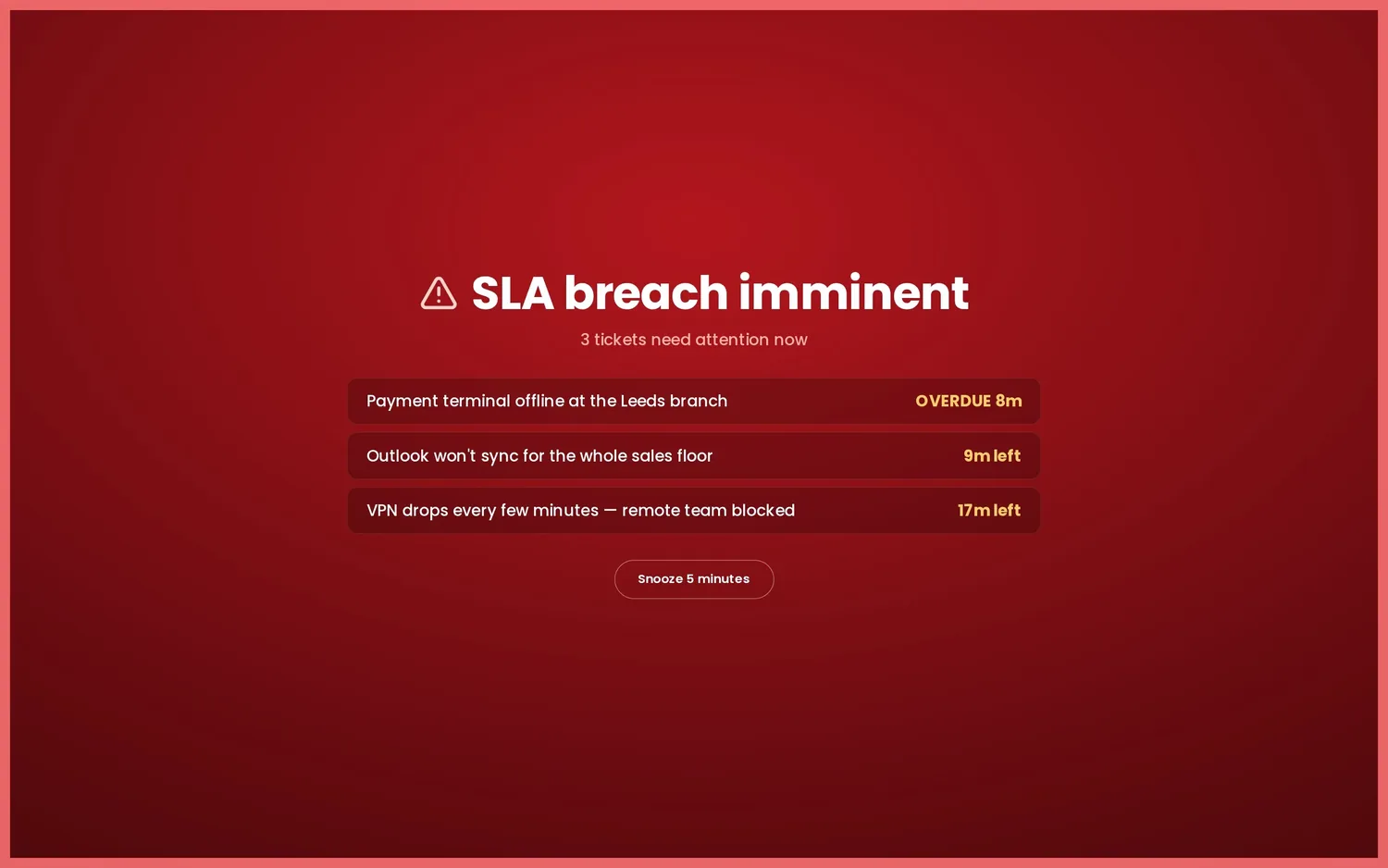
An MSP NOC wall has to do two jobs at once: show the service desk where tickets are slipping, and show the operations side which clients' kit is on fire. The trick is keeping both readable from across the room without turning the screen into a wall of numbers nobody parses. Here's what belongs on an MSP NOC or service-desk wallboard, and how to lay it out so the room actually acts on it.
Start with the question the wall answers
A NOC wall earns its place if a tech walking past can tell, in two seconds, whether right now is under control — across every client you manage. That rules out most of your reporting suite. Monthly ticket trends, utilisation, profitability per client: all real, all useful, none of them belong on a live wall where the only sensible reaction is "pick up that ticket" or "ring that client before their server stays down". If seeing a number change doesn't make someone do something in the next few minutes, it's a report metric, not a wall metric.
The service-desk half: tickets and SLA countdowns
The ticketing side of the wall is your PSA queue made glanceable. For most MSPs the core set is small:
- Tickets about to breach SLA. The single most actionable tile on the wall. A countdown that runs amber then red lets the room rally around at-risk tickets before they slip — far more useful than a count of breaches after the fact.
- Open and unassigned queue. How big the backlog is, and how much of it is still nobody's. Unassigned is the part a free tech can clear immediately.
- Oldest ticket. A single ageing ticket is often the real risk, hidden behind a healthy average response time.
- Per-client status. Which accounts are quiet and which are stacking up. For an MSP this is the view that matters most — your day is measured client by client, not as one undifferentiated queue.
- CSAT and a leaderboard. Keeps quality in view so "close it fast" doesn't become the only goal, and adds a bit of friendly competition with streaks and an Agent of the Week.
Nexus connects to one PSA at a time — Zendesk, Freshdesk, Freshservice, Jira Service Management, HaloPSA, SuperOps, NinjaOne, ConnectWise PSA, Zoho Desk, Help Scout or Front — and reads it directly. If you run HaloPSA, the HaloPSA wallboard page walks through the ticket-and-SLA layout; if you're on ConnectWise, the ConnectWise PSA wallboard covers the same ground with monitoring alongside.
The operations half: monitoring is a separate slot
This is the part teams new to wallboards get wrong. Your monitoring — RMM, network, backup, security — is not part of the ticket feed. In Nexus it lives in its own slot, with one panel per connected vendor, so PSA tickets and device health sit side by side rather than competing for the same space. Every monitoring vendor normalises to the same per-client rows — name, issues, status — so a UniFi panel reads the same way as an Acronis or a Huntress one, and the NOC isn't relearning a layout for each tool.
The monitoring slot supports UniFi on every plan, plus Meraki, Aruba, Omada, SuperOps RMM, NinjaOne RMM, N-able, Auvik, Domotz, Acronis, Huntress, Datto RMM, Kaseya VSA, ConnectWise Automate and Liongard on Enterprise. Pick what reflects how you actually operate:
- Device / RMM health — endpoints with issues, offline agents, patches outstanding, broken out per client.
- Network — sites and devices down, from UniFi, Meraki, Aruba, Omada, Auvik or Domotz.
- Backup — failed or stale jobs from Acronis or Datto, the thing that bites hardest when it's missed.
- Security — open detections from Huntress, surfaced where the duty tech will see them.
PSA and monitoring are two separate slots, not one merged feed. A deployment runs one ticketing provider and one monitoring vendor at a time — but some platforms cover both sides. SuperOps and NinjaOne expose PSA and RMM, so the board can show their ticket queue and their device health together from a single vendor.
When one vendor does both sides
If you're already standardised on SuperOps or NinjaOne, you get the tidiest wall of all: tickets and device health from one connector, no second integration to wire up. The SuperOps wallboard shows the PSA queue, technicians and per-client status next to SuperOps RMM device health, both normalised to the same rows. The NinjaOne wallboard does the same for NinjaOne's PSA and RMM. You can still point the monitoring slot at a different vendor if your stack is split — say PSA in one tool and network monitoring in Auvik — but a single-vendor board is the least to maintain.
Lay it out for the room, not the report
Put the fast-moving, act-now tiles biggest and along the top: SLA countdowns, unassigned queue, anything currently red in monitoring. Per-client status and the leaderboard sit below. Use colour the same way everywhere — green is fine, amber is "watch this", red is "act now" — so a glance at the colour tells the story before anyone reads a label. If you manage more clients than fit on one screen, don't shrink everything to cram it in; run multiple dashboards and rotate them on a timer, or split the service-desk view and the NOC view across two screens. Kiosk mode keeps it full-screen and surviving reboots on the office TV.
For the full tile set — KPI strips, trends and heatmaps, AI daily summaries and the scheduled Slack, Teams or Discord digest — see the features overview. And because Nexus is self-hosted, your ticket data and connector credentials stay on your own infrastructure; the board runs on your server, with flat pricing from £29–£119 a month for unlimited screens and agents.
Try it before you wire anything up
The fastest way to judge a layout is to see it moving. The live demo loads a working MSP board with sample tickets, SLA countdowns and a monitoring panel — no account, no card — so you can decide what belongs on your own wall before you connect a single provider.
See it live
Nexus puts SLA countdowns, the live queue, CSAT and leaderboards on a self-hosted board — try the demo (no account, no card), then start a 14-day free trial on your own data, billed only if you keep it.