 Nexus
NexusGuides → How to reduce your help desk's first response time
How to reduce your help desk's first response time
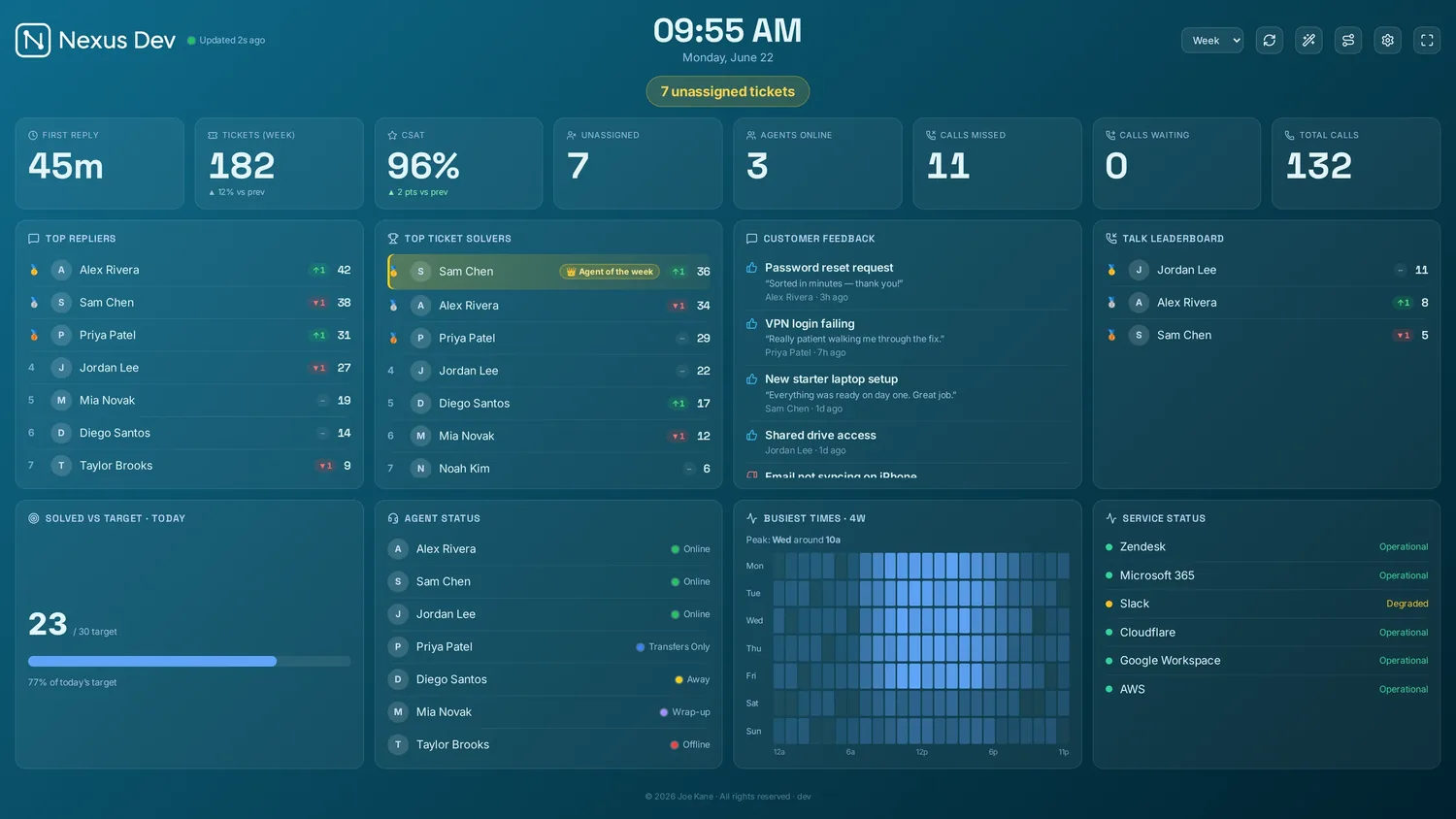
First response time is the gap between a customer asking for help and a human acknowledging it — the moment that shapes how the whole ticket feels. It's also one of the few SLA numbers you can move this week without hiring anyone. Here's how to cut it with better queue hygiene, smarter routing, shared visibility and a few habits that stick.
Measure it honestly first
Before you optimise anything, agree what "first response" means and where you'll read it. A reply that auto-acknowledges within seconds isn't a first response if it's a canned bot message; count the first genuine human reply. Watch the median and the worst case together — a healthy average often hides a handful of tickets that waited hours. If first response time isn't already on a board your team can see, that's the first fix; our guide to help desk SLA metrics that matter covers which numbers earn a place on the wall and which belong in your month-end report.
Tidy the queue so nothing hides
Most slow first responses aren't a capacity problem — they're a visibility problem. A ticket sits unassigned because nobody owns it, or it lands in a view nobody watches. Queue hygiene is the cheapest win available:
- Keep an unassigned view that everyone trusts. One clear pool of "nobody has this yet" tickets, sorted oldest-first, so the next free agent always knows what to grab.
- Cap the number of open views. Five well-named views beat twenty stale ones. Every extra view is somewhere a ticket can go unseen.
- Triage on the way in, not later. A quick tag for priority and type at intake means urgent tickets surface immediately rather than queueing behind routine ones.
- Surface the oldest waiting ticket. A single ageing request is usually the real risk. Make it impossible to miss.
Route work to the right person, faster
Every manual hand-off adds minutes. The less a ticket bounces between people before someone owns it, the faster the first reply. Aim to get each request to an agent who can actually answer it on the first move:
- Group by skill, not just by inbox. Billing questions to the people who know billing; technical ones to the people who can diagnose. Misrouted tickets are first-response time spent on re-routing.
- Set a clear pick-up rule. Whether it's round-robin, pull-from-the-top, or zones of responsibility, the rule only works if everyone knows it and the queue makes it obvious who's next.
- Reserve escalation for genuine escalations. If routine tickets keep landing on a senior agent, the queue is doing their triage for them — and slowly.
If manual routing is your bottleneck, automatic assignment can take the decision off the agents entirely. Switchboard, our auto-routing add-on, sends each new ticket to the right agent or group by your rules so nothing waits in an unassigned pool for someone to notice it. It's a public beta and included with the Enterprise plan, so it's worth trialling rather than committing to — but for busy desks it removes one of the most common sources of first-response delay.
Make the queue visible to the whole room
An agent can't respond quickly to a ticket they can't see. Shared visibility — a board on a wall, a TV in the corner, or a kiosk screen by the desk — turns first response from an individual habit into a team one. When everyone can see the unassigned count climbing and the oldest ticket ageing, the room self-corrects: someone picks it up before a manager has to ask.
This is exactly what a live wallboard is for. Nexus puts the live queue, unassigned count and per-agent activity on a self-hosted board with real-time KPI tiles, so the state of the queue is common knowledge rather than something only the team lead checks. You can see the full set on the features overview.
Let SLA countdowns drive the urgency
A number that's merely high doesn't prompt action; a number that's running out does. SLA breach countdowns that shift from amber to red as a ticket approaches its deadline give the team a clear, shared signal of what to answer next. Instead of guessing priority, agents work the tickets closest to breaching — which is precisely the behaviour that keeps first response times down across the board.
The point of a countdown isn't the alarm — it's the calm. When at-risk tickets are obvious, people pick them up early and steadily, rather than firefighting a wall of breaches at the end of the day.
Templates for the first reply, not the whole answer
First response time measures acknowledgement, not resolution — so the fastest lever is a good opening reply you don't have to write from scratch. A small library of macros for your common request types lets an agent acknowledge, set expectations and ask any obvious follow-up question in seconds. Keep them human and specific to the ticket type; a warm, accurate template beats a generic one that makes the customer feel processed. The goal is to remove the blank-page pause before the first reply, not to automate the conversation.
Staff to demand, not to the average
Even a perfectly tidy queue slows down if there's nobody free when the tickets land. First response time tends to spike at predictable moments — Monday mornings, post-lunch, the hour after a product change ships. Use your own trends and heatmaps to find those peaks, then put cover where the demand actually is rather than spreading people evenly across a flat day. A leaderboard with streaks can keep momentum healthy during the busy stretches, as long as you pair speed with a quality measure like CSAT so "reply fast" never quietly becomes "reply carelessly".
Put it together
None of these tactics is dramatic on its own. Tidy the queue so nothing hides, route each ticket to the right person the first time, make the whole queue visible, let countdowns set the priority, template the opening reply, and staff for the peaks. Stack them and first response time falls without anyone working harder — they're just no longer waiting on each other to notice. If you'd like to see the live queue, SLA countdowns and leaderboards in action before changing anything in your own desk, the zero-setup demo shows a full board with sample data, no account needed.
See it live
Nexus puts SLA countdowns, the live queue, CSAT and leaderboards on a self-hosted board — try the demo (no account, no card), then start a 14-day free trial on your own data, billed only if you keep it.