 Nexus
NexusGuides → What to put on a call centre wallboard
What to put on a call centre wallboard
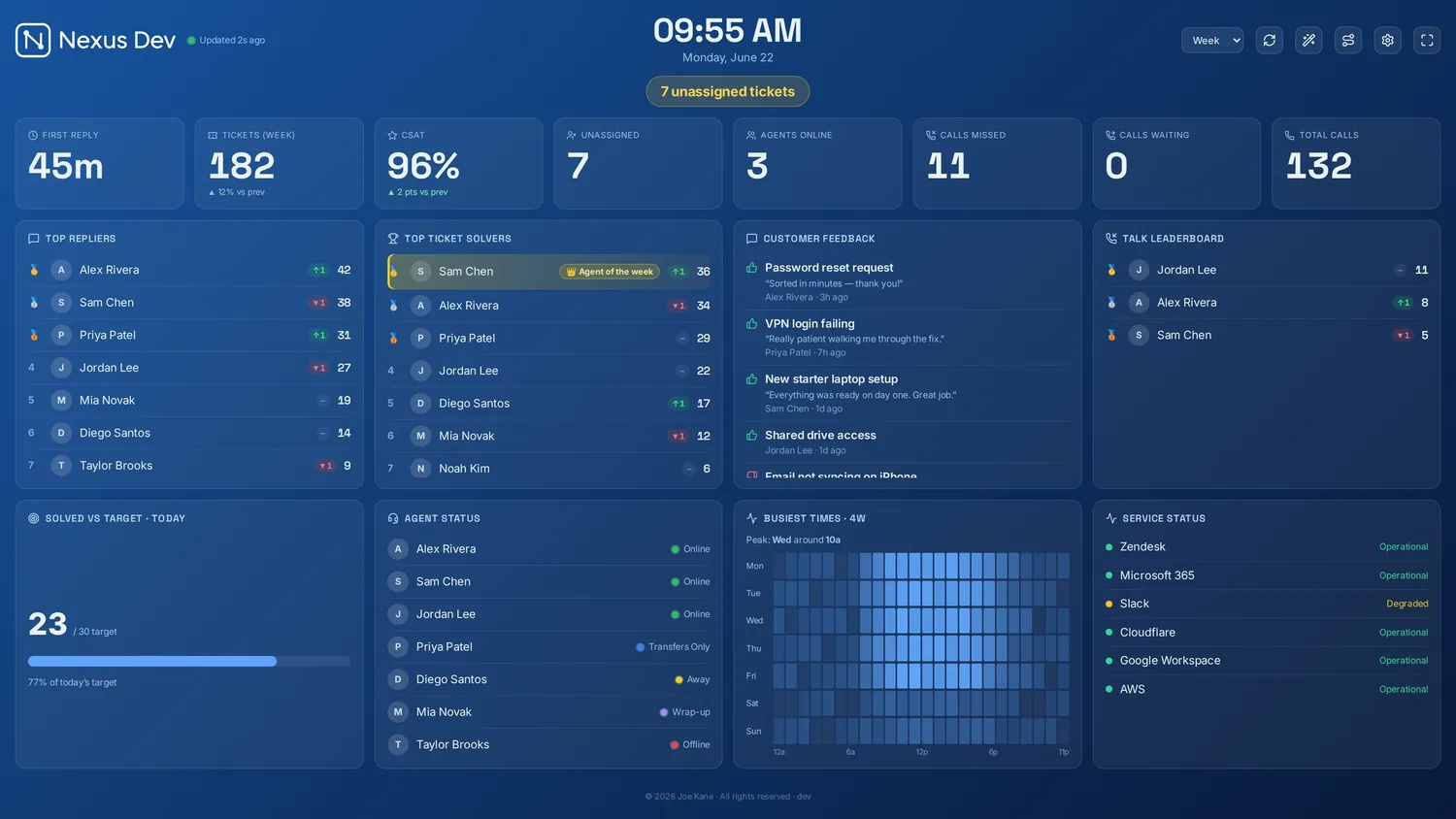
A good call centre wallboard does one job: it lets the whole floor see, without asking, whether right now is under control. That means a tight set of live numbers anyone can read from their desk — not a dashboard of forty tiles. Here's what to include, what to cut, and how to lay it out.
The five that always belong
- Calls waiting. The heartbeat of the floor. One big number — when it climbs, available agents pick up.
- Longest wait. A single caller waiting eight minutes is the problem an average hides. Show it, and turn it red past your threshold.
- Service level / answered in target. Your headline promise (e.g. 80% answered in 20s) — the one figure managers judge the day on.
- Abandonment. Calls dropped before answer — the cost of the queue, made visible.
- Agents available vs on call vs wrap. So the floor sees capacity at a glance and supervisors can pull people out of wrap when it spikes.
Worth adding if you have the room
- Average handle time (AHT) — useful context, but don't let it crowd the live queue; it changes slowly.
- CSAT, by agent — keeps quality in view so "answer fast" doesn't become the only goal.
- A leaderboard — calls handled, with movement and an Agent of the Week, to add a bit of friendly competition.
- Tickets raised — if calls create follow-up work in your help desk.
What to leave off
Resist the urge to mirror your reporting suite. Monthly trends, forecast accuracy, occupancy over time and cost-per-call are management metrics — they belong in a report, not on a wall where nobody can act on them mid-shift. Every extra tile makes the ones that matter harder to read.
Layout that works
Put the live, fast-moving numbers — calls waiting, longest wait, service level — biggest and along the top, where the eye lands first. Agent status and the leaderboard sit below. Use colour sparingly and consistently: green is fine, amber is "watch this", red is "act now". If you have more than fits, rotate panels on a timer rather than shrinking everything. And run it full-screen in kiosk mode so it survives reboots — see how to put your queue on a TV.
One screen, one glance. If a supervisor can't tell whether the floor is healthy in two seconds from across the room, there's too much on the board.
Build your call centre wall
Nexus is a self-hosted call centre wallboard — live queue, service level, agent status and CSAT on a TV. Try the demo, no account needed. Every plan then starts with a 14-day free trial, billed only if you keep it.